The line goes down mid-rush.
It keeps selling.
Every sale is saved on the till itself. When the internet comes back, it catches up on its own.

Comptoir · Point of sale for cafés and restaurants
Comptoir keeps selling when the internet drops, puts a name on every cancellation, and runs the bar, the kitchen, the waiters and the stock from one screen.
£299one-time licencePlaceholder price
Why owners switch
The line goes down mid-rush.
Every sale is saved on the till itself. When the internet comes back, it catches up on its own.
Cash goes missing and nobody knows why.
Cancellations, discounts, refunds and drawer openings are recorded with who, when and why. Waiters settle their float at the end of the shift.
Stock is a guess.
Each coffee sold takes its coffee and milk out of stock. When something runs low, it lands on the shopping list.
modules in one licence
internet needed to sell
staff roles, each with its own PIN
Try it
Switch the internet off and carry on tapping. Comptoir records every sale on the till and sends them on when the connection returns.
Tap the items, then Charge.
Inside Comptoir
01 / 08
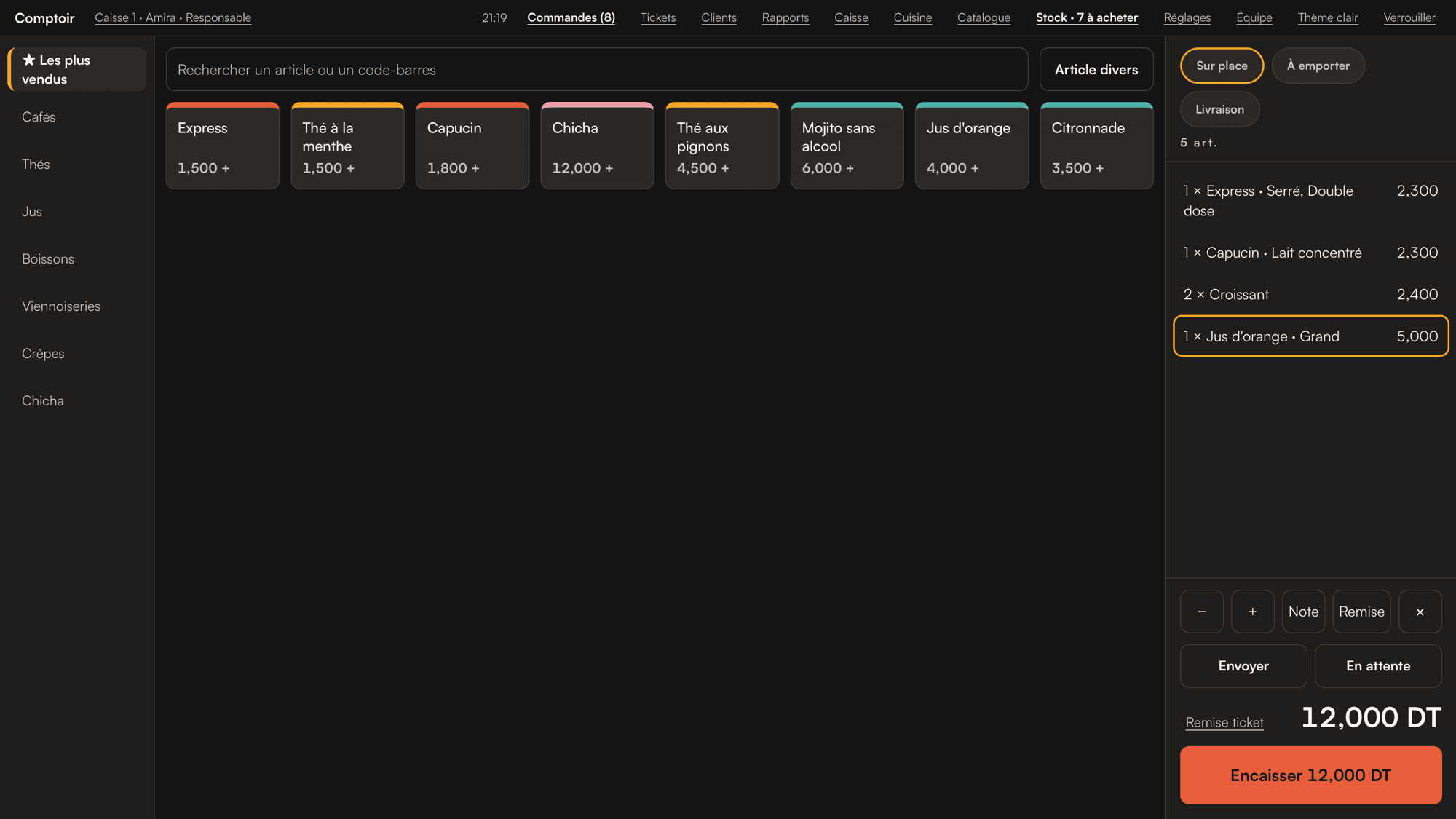
Big tiles, options in one tap; cash, card, meal vouchers and credit accounts. A three-item sale takes seconds.
02 / 08
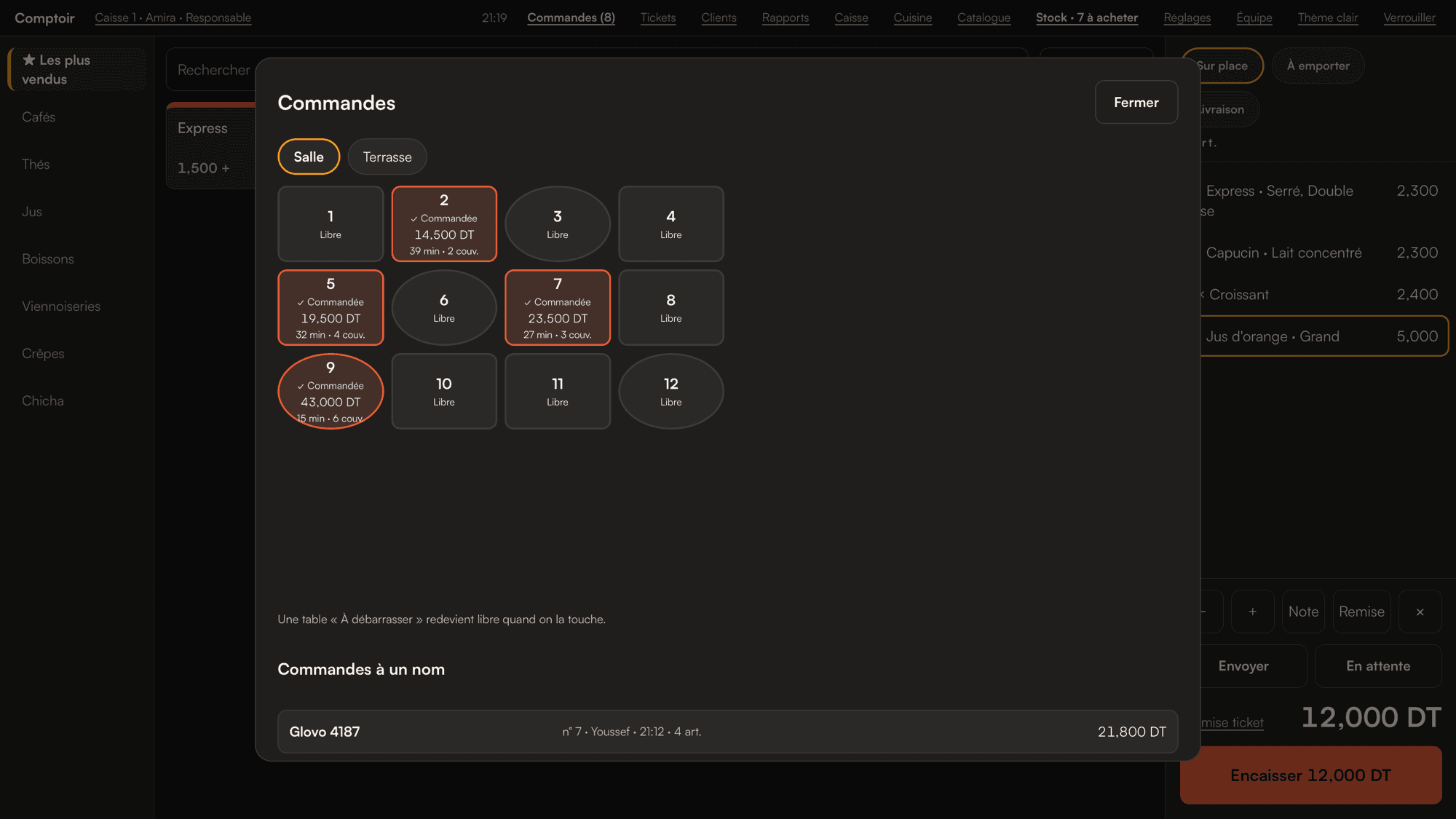
Your own floor plan. See at a glance which tables are open, for how long and for how much.
03 / 08
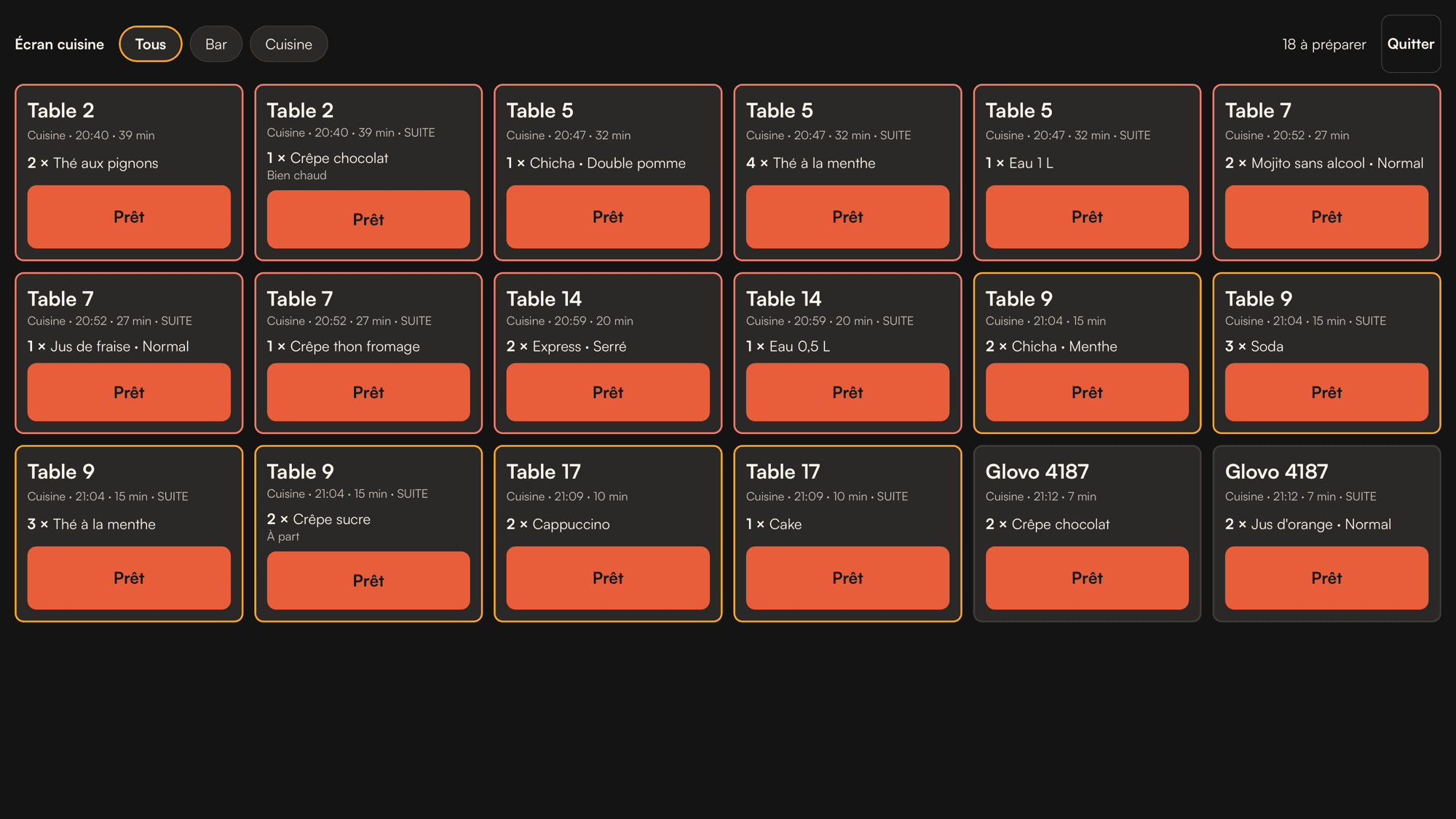
Each order splits itself: drinks to the bar, food to the kitchen, with notes and extras on each ticket. Or use a kitchen screen.
04 / 08
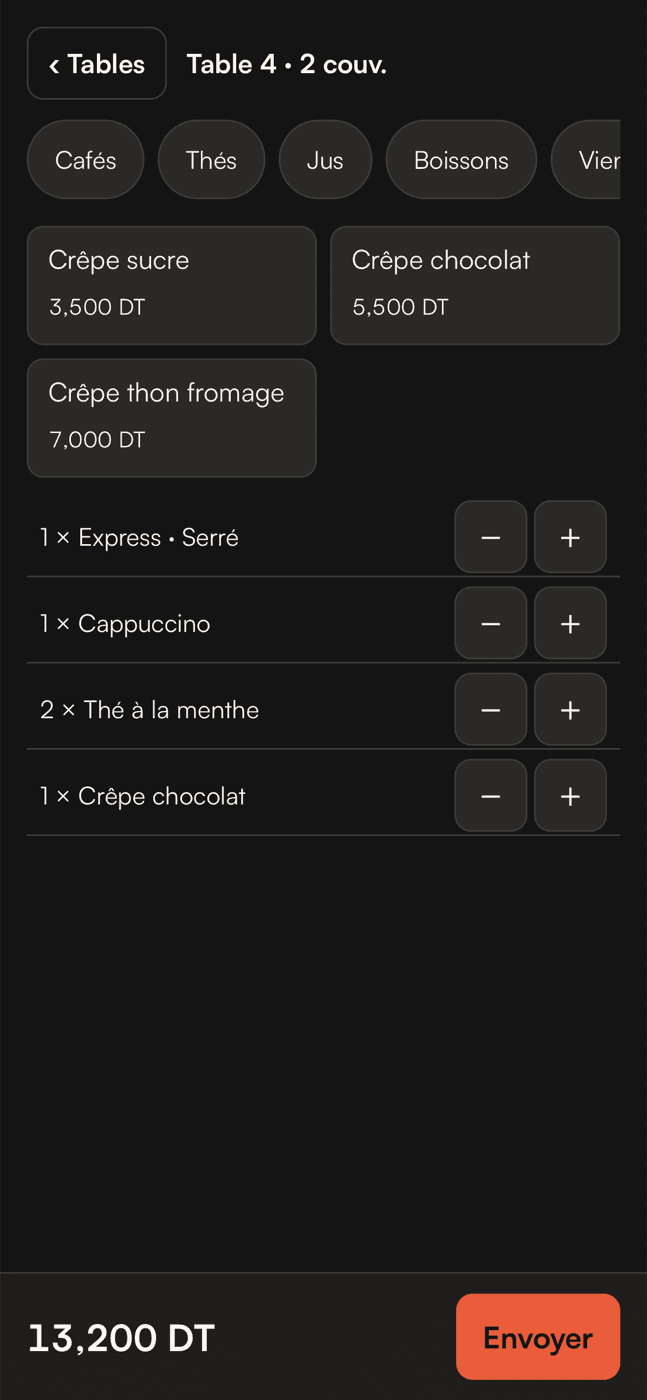
Waiters take orders at the table on any phone and send them straight to the bar. Nothing to install.
05 / 08
Recipes take ingredients out of stock as you sell, options and extras included.
06 / 08
Whatever runs low becomes a shopping list, then an order to your supplier on WhatsApp.
07 / 08
Sales by hour, item and person, and a signed Z closing at the end of the day. Exports your accountant can use.
08 / 08
Roles and PINs for everyone. Sensitive actions need a manager’s PIN.
Screens shown in French.
01 / 08
Big tiles, options in one tap; cash, card, meal vouchers and credit accounts. A three-item sale takes seconds.
02 / 08
Your own floor plan. See at a glance which tables are open, for how long and for how much.
03 / 08
Each order splits itself: drinks to the bar, food to the kitchen, with notes and extras on each ticket. Or use a kitchen screen.
04 / 08
Waiters take orders at the table on any phone and send them straight to the bar. Nothing to install.
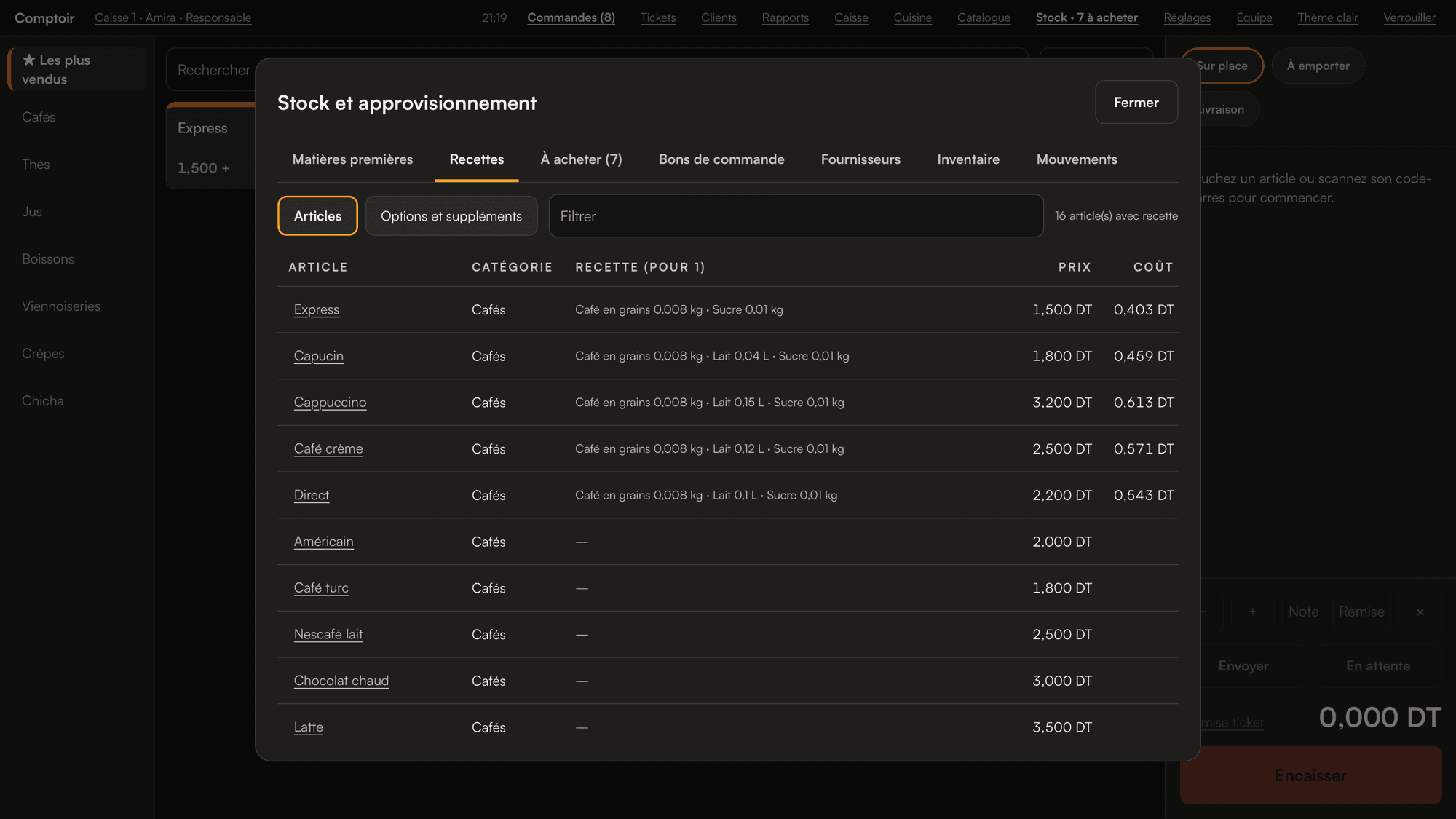
05 / 08
Recipes take ingredients out of stock as you sell, options and extras included.
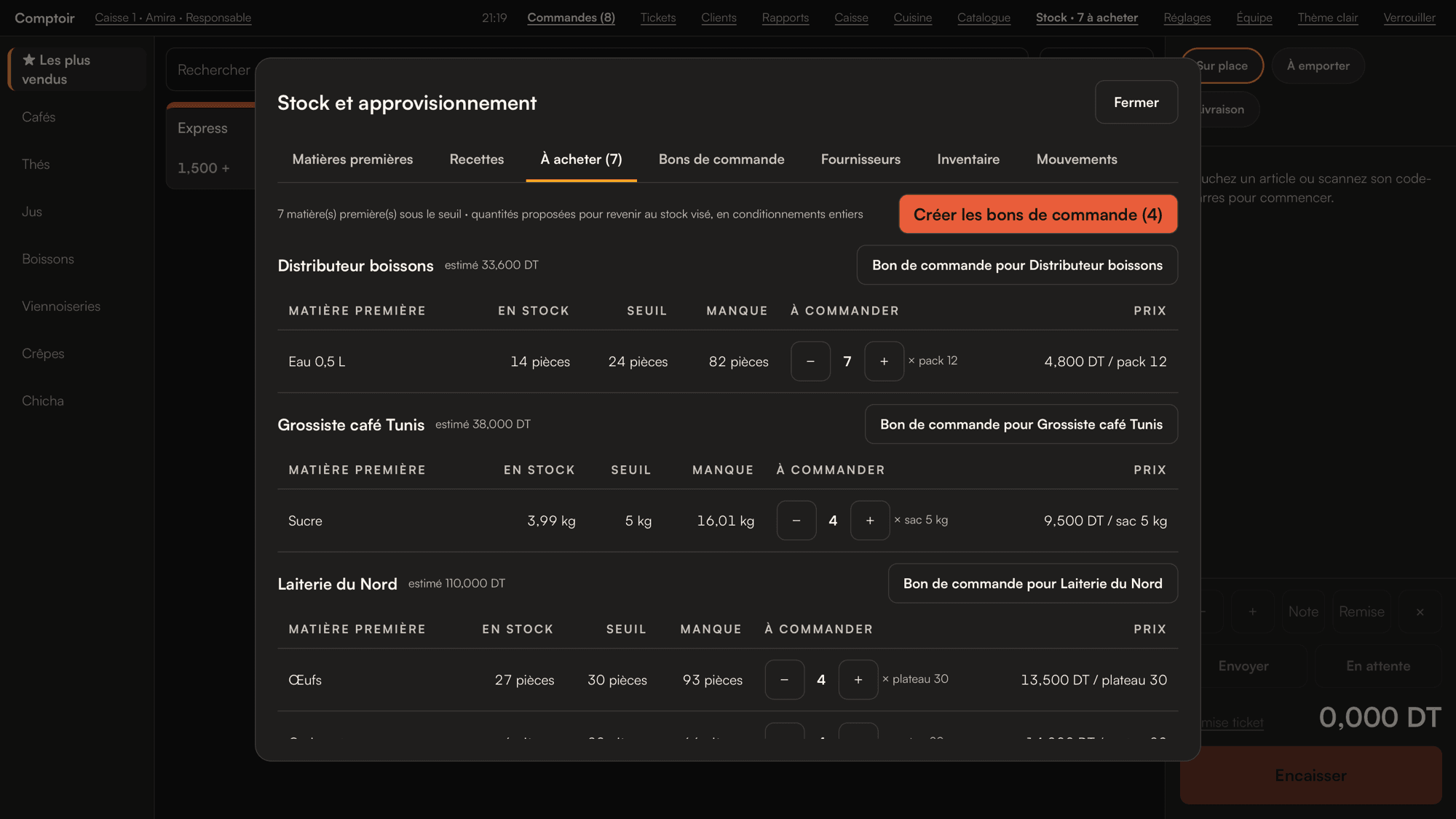
06 / 08
Whatever runs low becomes a shopping list, then an order to your supplier on WhatsApp.
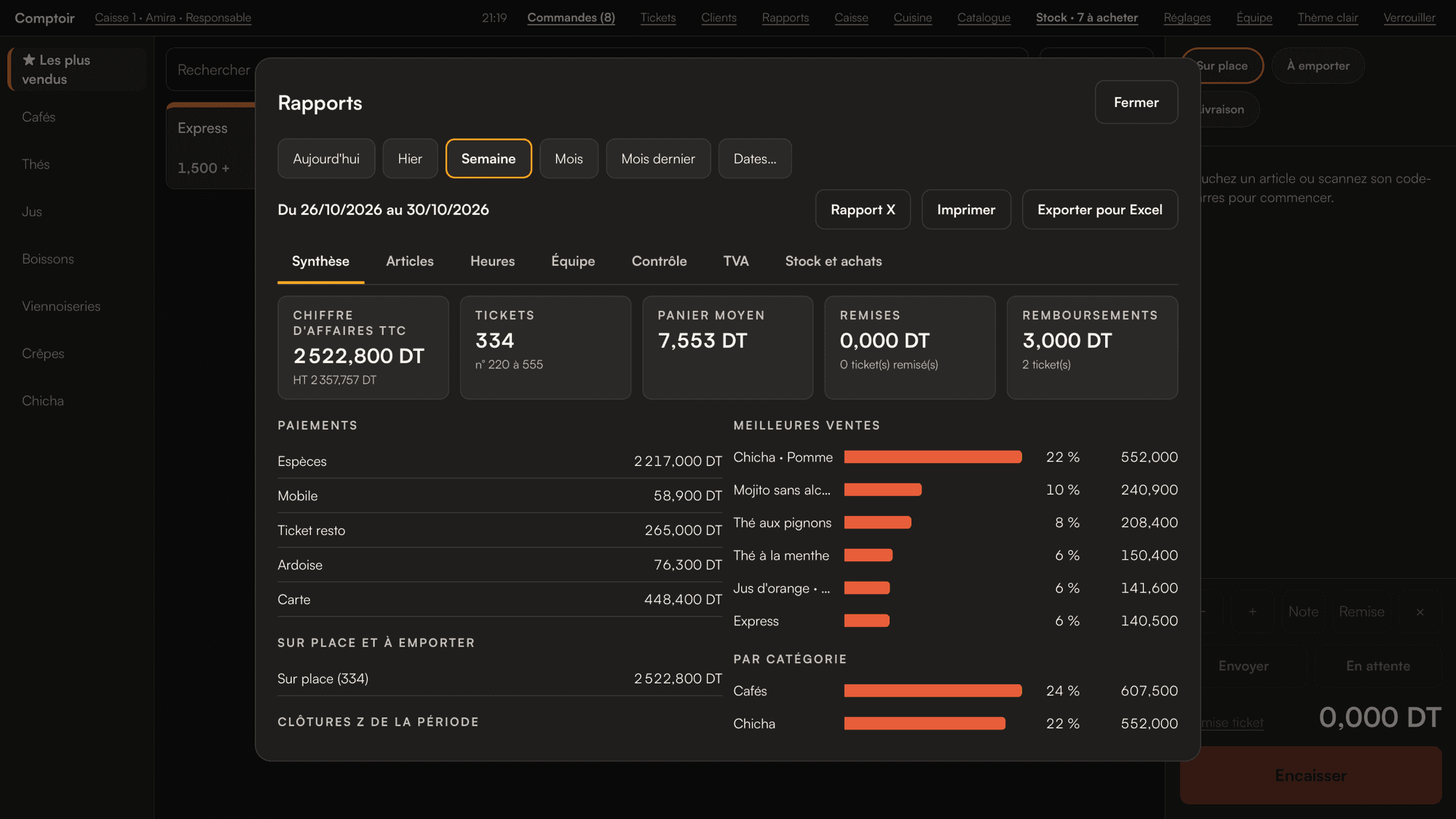
07 / 08
Sales by hour, item and person, and a signed Z closing at the end of the day. Exports your accountant can use.
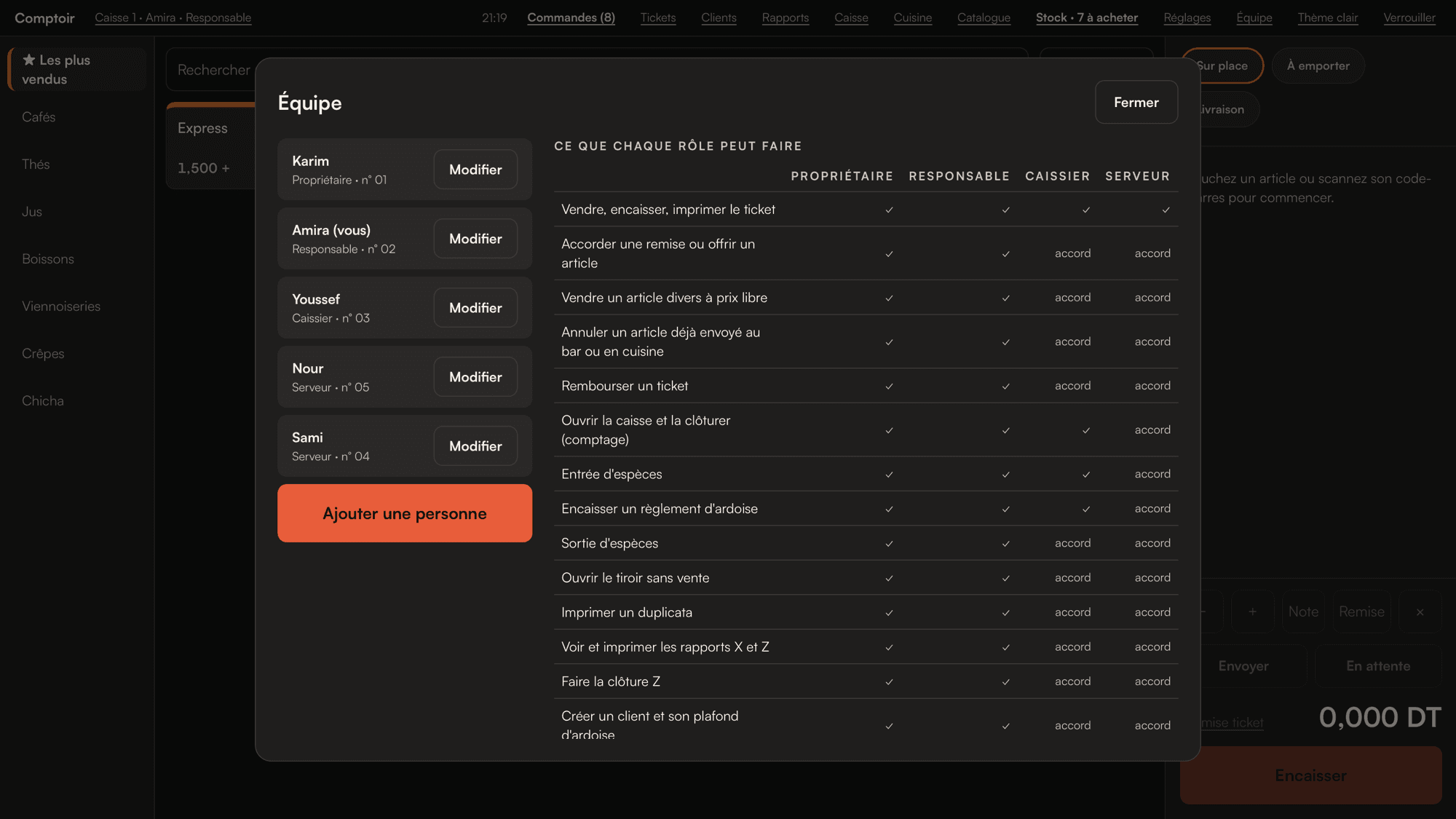
08 / 08
Roles and PINs for everyone. Sensitive actions need a manager’s PIN.
Made for
Speed at the counter, waiters on the terrace, credit accounts for regulars.
Tables, kitchen routing, split bills, recipes and food cost.
A very fast counter, set menus and delivery orders.
Counter sales, takeaway and stock that keeps up.
Already have a till PC? Comptoir probably runs on it.
Pricing
Buy online, install with the setup guide and activate with your product key.
Pay by card through Revolut. Your key arrives by email.
Questions
Yes. Sales, tickets, kitchen orders and the waiters’ phones all run on your own local network. Internet is only needed for updates and, outside Tunisia, for the first activation.
A Windows PC (a touch screen makes it faster), an 80 mm receipt printer and a cash drawer. Waiters use their own phones, in the browser.
Yes. Fill in the Excel template and import it, or build your catalogue on the till.
It stays on your till, encrypted. You can export it at any time, and only you can open your backups, with your recovery code.
Yes. Extra tills, waiter phones and kitchen screens can be added at any time.
In Tunisia, your agent first, then us. Elsewhere, our team on WhatsApp or by email.